 Guides
Phishing, Brute Force, Data Breaches, Info stealers etc. are all ways in which people steal credentials. We’ve had this problem for decades, stealing something or guessing something people know is relatively trivial over the internet. This leads to a huge volume of the breaches we have seen over the last 20+ years. Whilst people seem to understand this, they don’t seem to know how to change to fix this…. (it’s not that we don’t know it’s that change is hard for lots of reasons). So there might be a solution with the adoption of passkeys! So what are passkeys?
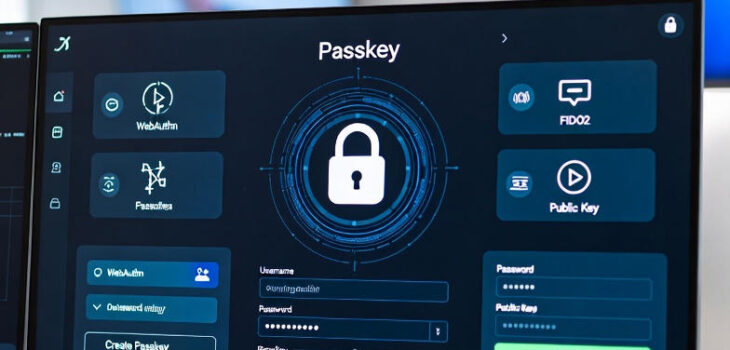
Passkeys are a modern, password-less authentication method designed to replace traditional passwords. They provide a more secure, convenient, and phishing-resistant way to sign in to websites and apps.
How Passkeys Work
Passkeys are based on the WebAuthn/FIDO2 standard and use public-key cryptography:
- When you create a passkey for a service, your device generates a pair of keys: a private key (stored securely on your device) and a public key (sent to and stored on the service’s server).
- To sign in, the server sends a challenge. Your device signs it with the private key (after you authenticate locally with biometrics like Face ID/Touch ID, fingerprint, or a PIN).
- The server verifies the signature using the stored public key—no password is ever transmitted or shared.
The private key never leaves your device, making passkeys highly secure.
Benefits of Passkeys
- More Secure: Resistant to phishing (keys are bound to the specific domain), no shared secrets, and immune to data breaches of password databases.
- Easier to Use: No need to remember or type complex passwords—just use your device’s built-in unlock method.
- Cross-Device Sync: Many passkeys sync securely across devices via providers like iCloud Keychain (Apple), Google Password Manager, or Microsoft.
- Built-in Multi-Factor: Combines something you have (device) with something you are/know (biometrics/PIN).
Passkey (WebAuthn) Flow Diagrams
Modern sequence diagrams showing both Registration (Enrollment) and Authentication (Login) processes.
1. Passkey Registration (Enrollment)
2. Passkey Authentication (Login)
Key Advantages of Passkeys
- Private key never leaves the device – highly secure against breaches
- Phishing-resistant: credentials are bound to the specific domain
- Built-in multi-factor (something you have + something you are/know)
- Seamless cross-device sync via Apple, Google, or Microsoft ecosystems
- Standards-based (WebAuthn/FIDO2) and widely supported
Summary
Passkeys and their associated processes are not bulletproof, there’s a range of scenarios like downgrade attacks, device theft etc. that need to be considered, but when compared to traditional username/password combinations that are almost GOD tier level when it comes to defending against traditional phishing and attacker in the middle attacks (AITM). They also help solve the challenge that traditional hardware keys (like Yubikeys) have in adoption, because adopting passkeys is really really really simple! So, if your product or service doesn’t support passkeys, perhaps think about how you can change that!