How to Identify Hashes

Some hashes are obvious but even then, it’s a good job to check. There are a few ways to check a hash outside of manual validation.

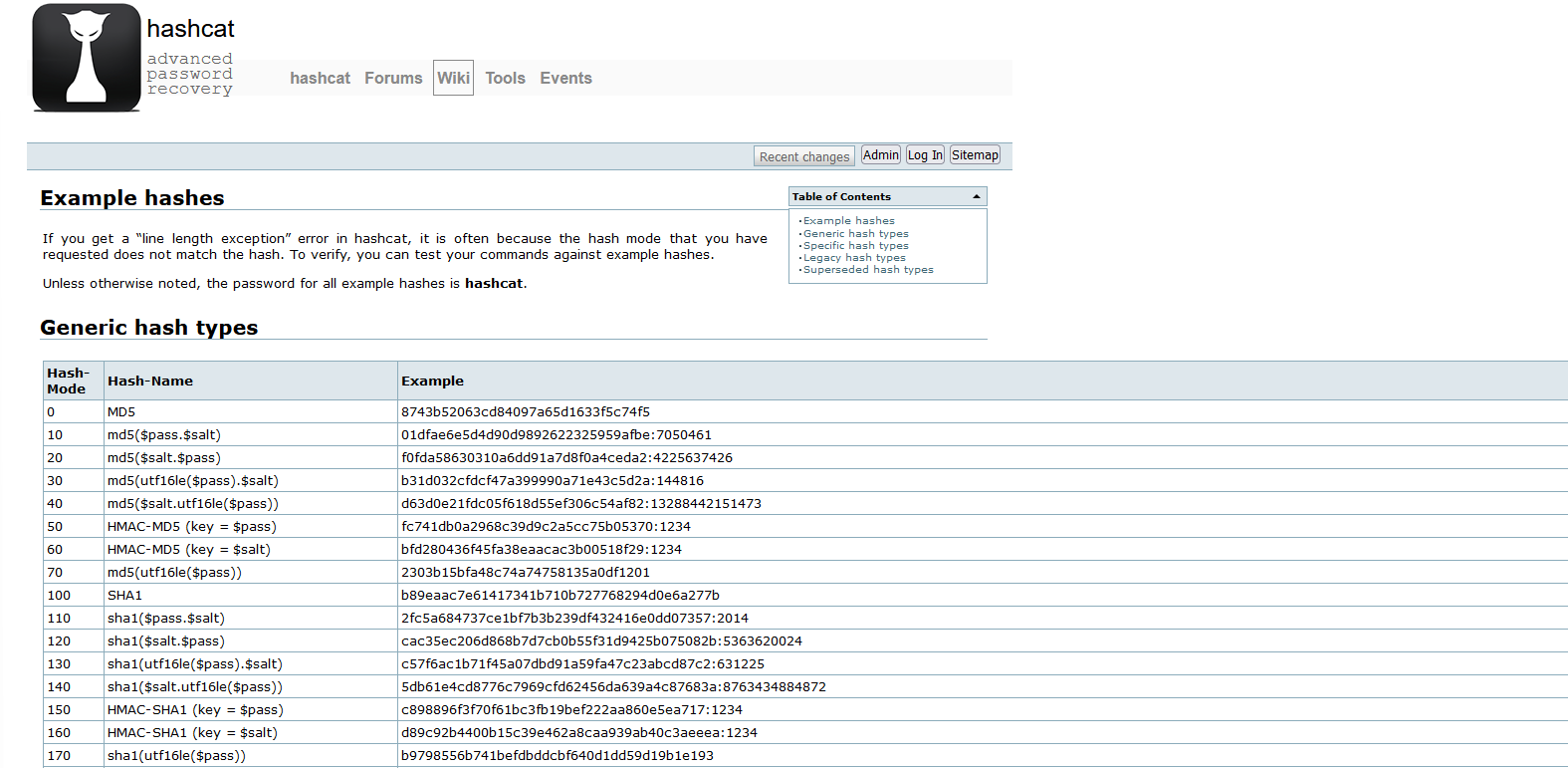
Using the Hashcat example list:

https://hashcat.net/wiki/doku.php?id=example_hashes

Graphical user interface, text, application, email

Description automatically generated

Using hash-identifier:

https://github.com/blackploit/hash-identifier

Using cyberchef Analyse hash:

https://gchq.github.io/CyberChef/#recipe=Analyse_hash()

Background pattern

Description automatically generated with low confidence

Using hash-id:

https://github.com/psypanda/hashID

Using HashTag:

https://github.com/SmeegeSec/HashTag

As you can see there are range of tools available to you, and remember if you want to keep the hashes to yourself you can download Cyberchef and run it locally!

Would you know if these remote access tools were…

Introduction

Remote management and monitoring (RMM) and other remote access solutions are fantastic for enabling remote support of environments. Like most things in life though the intent of the user changes the tool from a force for good to a weapon of evil (I hate the use of the word weapon with software but it’s a blog so I’ll self-cringe).

Kill Chain Summary

The kill chain in the attack outlind by sophos isn’t one that you will be suprised at:

  • Initial access was via a known software vulnerability (unpatched Exchange server)
  • The attackers dropped a web shell
  • The attackers had SYSTEM level access
  • The attackers dumped memory to obtain hashes
  • The hashes were cracked (they escalated to domain admin)
  • 7 (yes seven!) backdoors were implaneted into the target network (hence this blog post)
  • Lateral movement was made to domain controllers
  • Large volumes of data were exfiltrated
  • The rest of the environment was then pwn3d

What might shock you more is the speed at which this was conducted. It’s not months or weeks, it’s hours and days (see the Sophos blog for more details!)

Conti Actors Remote Access Toolkits

Remote access tools being abused isn’t a new thing but following a great writeup (https://news.sophos.com/en-us/2021/09/03/conti-affiliates-use-proxyshell-exchange-exploit-in-ransomware-attacks/?cmp=30728) of a Conti kill chain from Sophos Labs I figured I’d try and raise more awareness of some of the threats that organisations face, and the reality that defending against all threats is actually quite difficult for a lot of organisations (hell it’s technically not simply for anyone!) Read more “Would you know if these remote access tools were being used in your network environment?”

chopping vegetables

Decoding Powershell Base64 Encoded commands in CyberChef

Firstly, you need some Powershell Base64 commands, you could search your security logs or Sysmon logs for these, or simply generate some yourself!

powershell.exe -noprofile -ExecutionPolicy UnRestricted -EncodedCommand bgBlAHQAIAB1AHMAZQByACAAcwBlAGMAYQB1AGQAaQB0ACAAUABAADUANQB3ADAAcgBkADEAMgAzACEAIAAvAEEARABEADsAbgBlAHQAIAB1AHMAZQByACAAcwBlAGMAYQB1AGQAaQB0ACAALwBhAGMAdABpAHYAZQA6AHkAZQBzADsAbgBlAHQAIABsAG8AYwBhAGwAZwByAG8AdQBwACAAYQBkAG0AaQBuAGkAcwB0AHIAYQB0AG8AcgBzACAALwBhAGQAZAAgAHMAZQBjAGEAdQBkAGkAdAA=

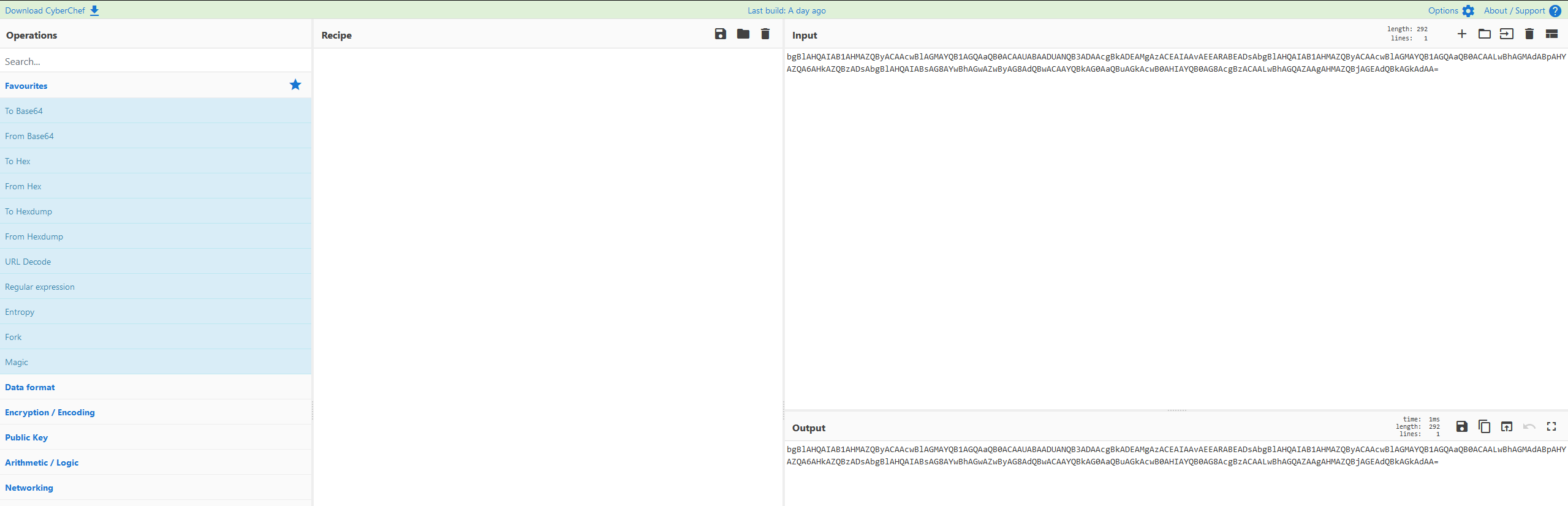
Next, we head over to Cyber Chef!

https://gchq.github.io/CyberChef/

Graphical user interface, text, application, email

Description automatically generated

Now we copy the base64 component to the INPUT window:

Graphical user interface, text, application, Word

Description automatically generated

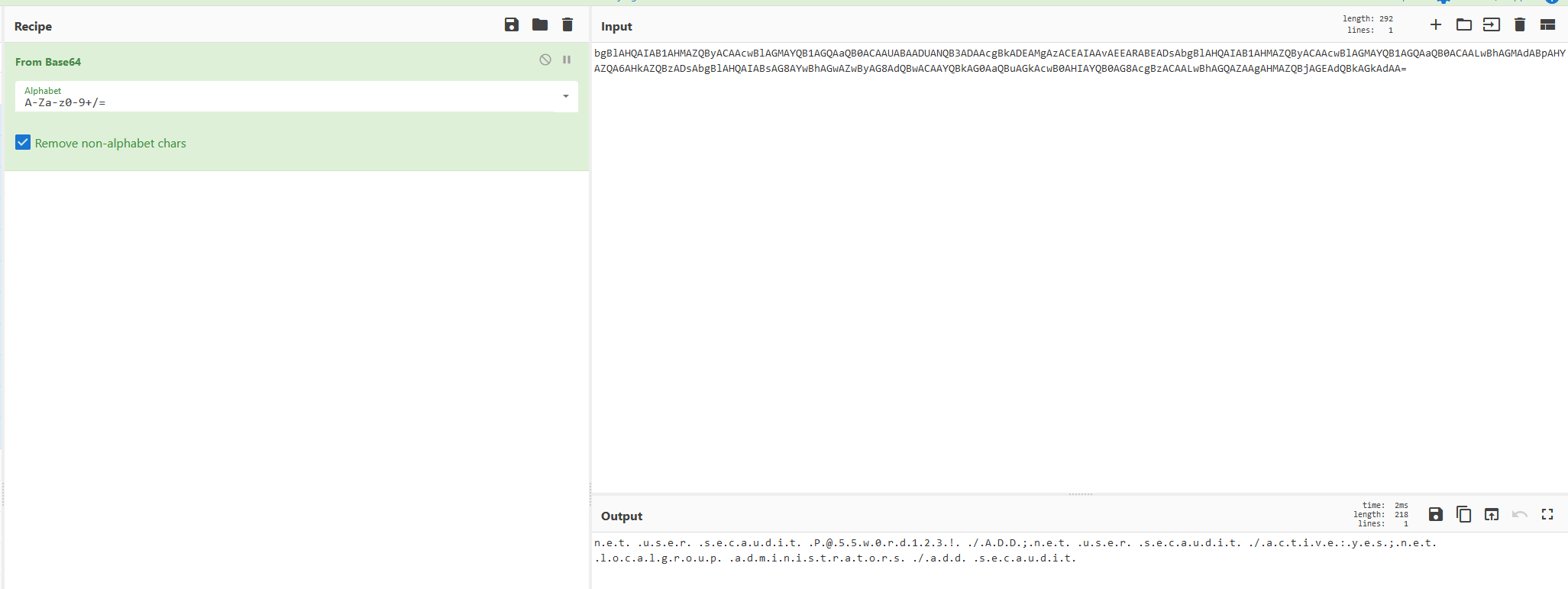
We add the “From Base64” operation into our RECIPE! Read more “Decoding Powershell Base64 Encoded commands in CyberChef”

Image

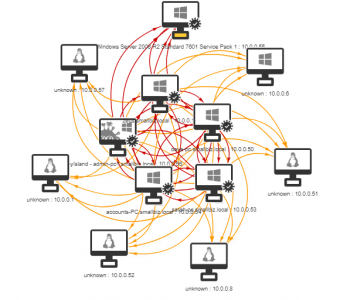
Infection Monkey Overview

Have you ever wanted to see what would occur in an environment if a worm was a make its way in? I often work with customers to show them about lateral movement from a human operated perspective however sometimes it’s useful for people to visualise this better and to demonstrate what could occur if a worm was set loose. A great tool to help with this is Infection Monkey from Guardicore (https://www.guardicore.com/

High Level View

The process steps are as follows:

  • Scope Exercise
  • Prepare Environment
  • Deploy Infection Monkey Server (Monkey Island)
    • Configure Server Credentials
  • Monkey Configuration
  • Release Monkey/s
  • Review
  • Report

Read more “Infection Monkey Overview”

Windows 11 Privilege Escalation via UAC Bypass (GUI based)

Introduction

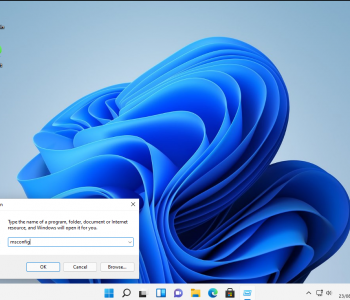
Ok these are a really simple UAC bypass from a userland GUI perspective. This is about increasing process integrity levels – it’s not about performing LPE from low integrity to high/SYSTEM with no interaction. These clearly work in older version of Windows as well but since Windows 11 will be the current version in the near future I thought it was fun to re-visit these!

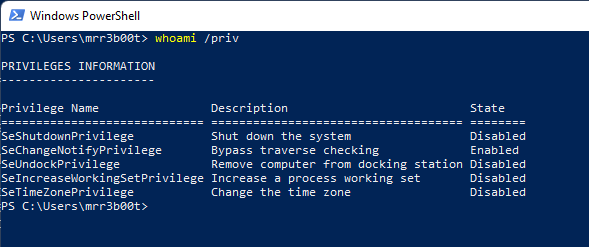
And just to be clear, a medium integrity process as an administrator user will have the following privileges:

Text

Description automatically generated

What we are talking about here is to move to a high integrity process without knowing credentials or having the secure desktop launch. Read more “Windows 11 Privilege Escalation via UAC Bypass (GUI based)”

A picture containing text, electronics, monitor, indoor Description automatically generated

Razer Privilege Escalation Vulnerability

“And I looked and behold a pale horse: and his name that sat on him was Death, and Hell followed with him.”

Firstly, Kudos to @j0nh4t for finding this!

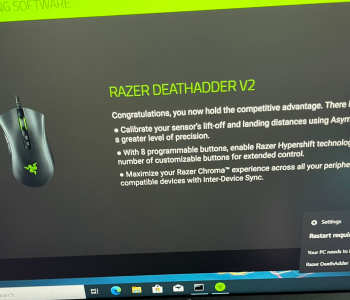
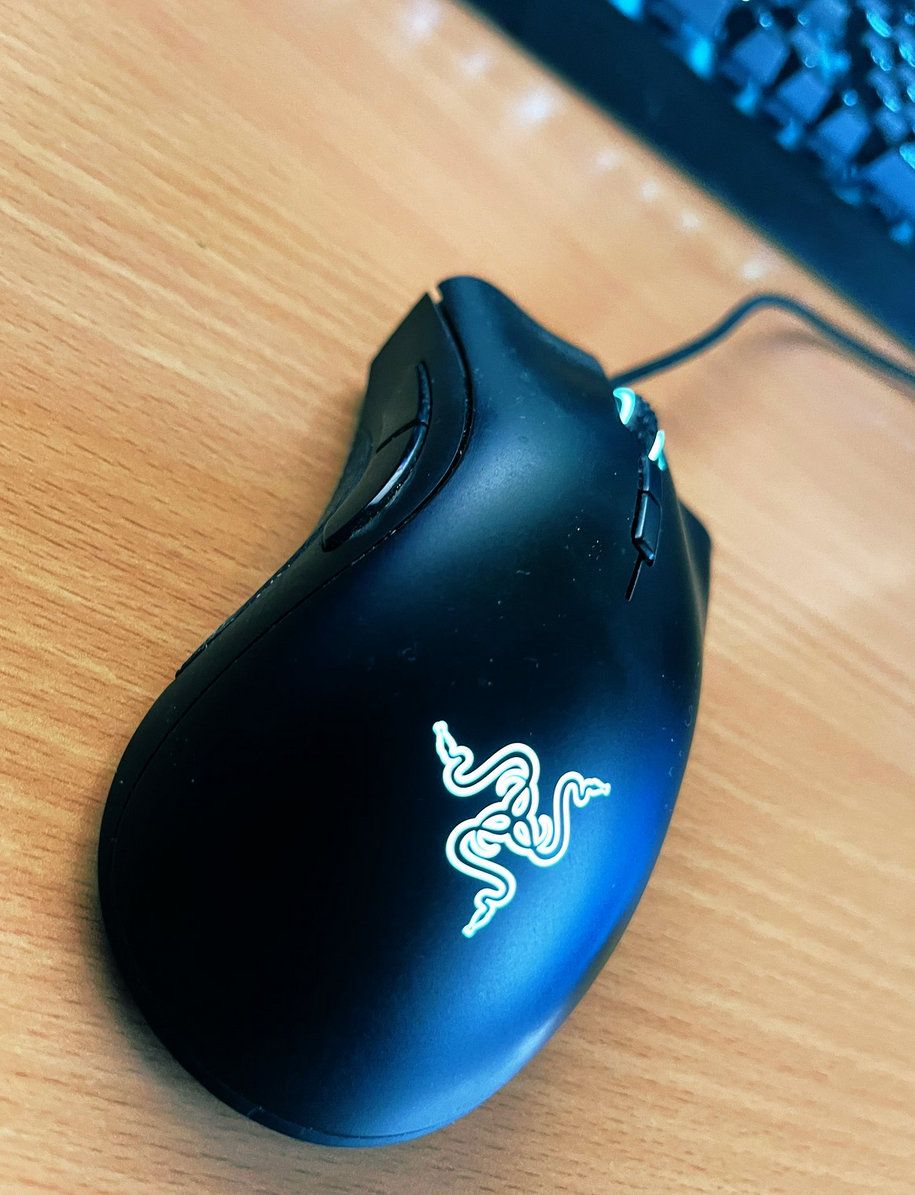
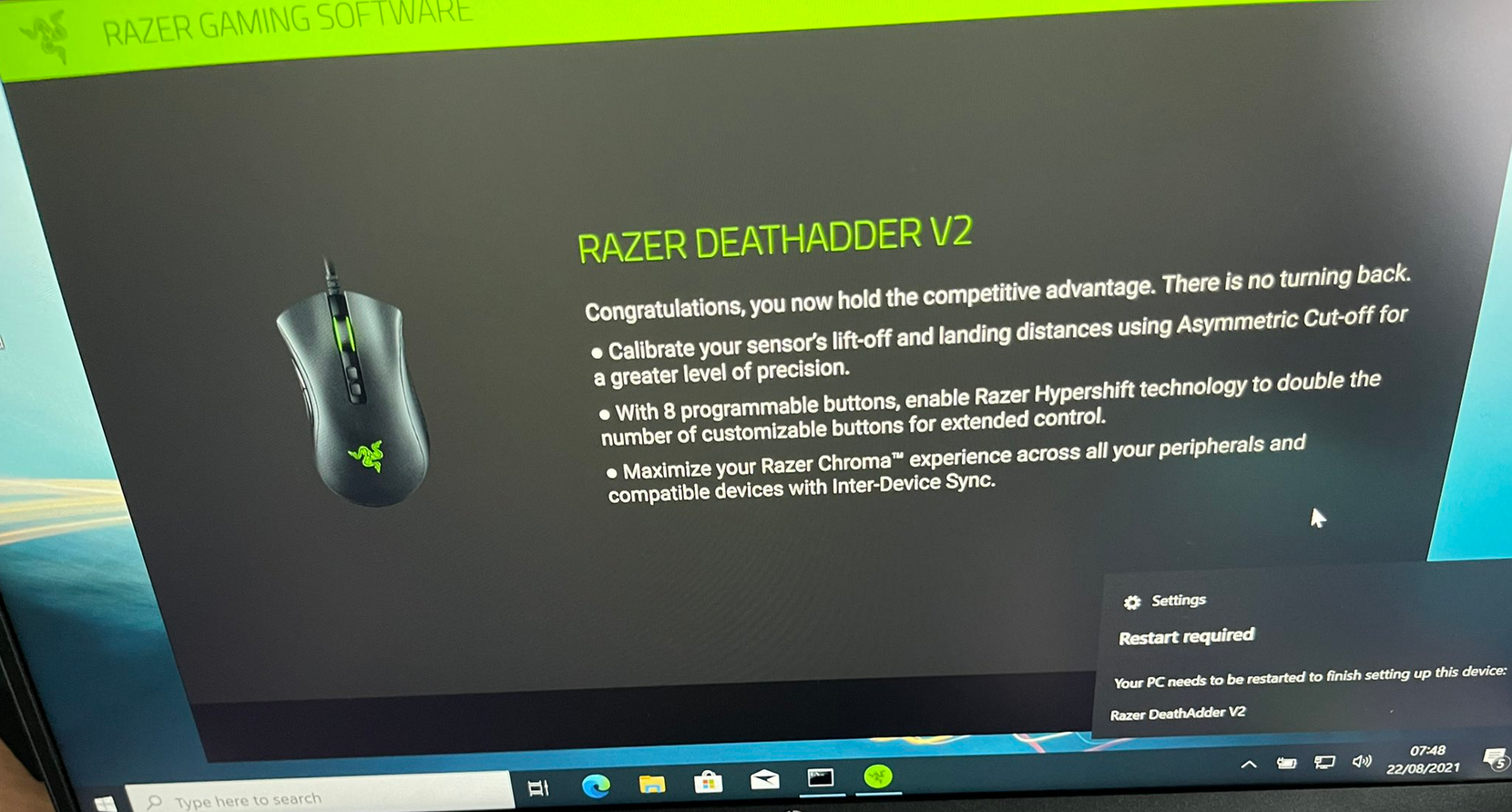
I woke up this morning to see twitter fun with a LPE discovered in the Razer driver installation. Basically, when you plug a Razer mouse into a Windows machine, it will download (via windows update) and execute a process as system which has user interaction. This interface includes an install path selector, with this a right click + SHIFT (LULZ) on whitespace will allow you to launch a command prompt/PowerShell window (as SYSTEM).

A black shoe on a wood surface

Description automatically generated with medium confidence

A picture containing text, electronics, monitor, indoor

Description automatically generated Read more “Razer Privilege Escalation Vulnerability”

Windows Remote Management 101

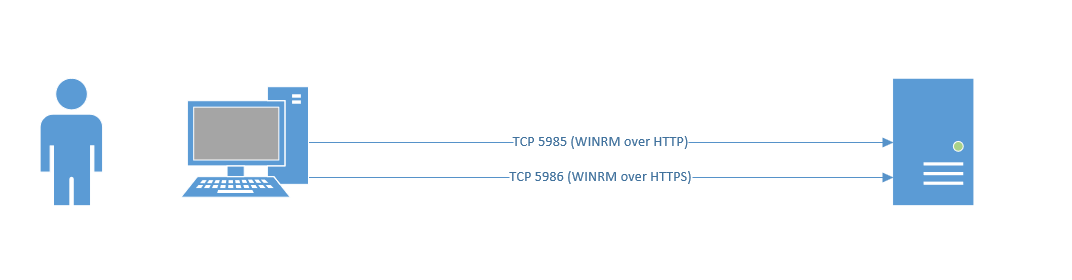
Windows Remote Management is easy if you are using a domain joined machine and have a CA. But what if you are off the domain and you want to connect to WINRM that has an HTTPS listener? (by default WINRM uses HTTP on TCP 5985, you can clearly chop out the TLS related configs in the example scripts and they will work for plain old WINRM)

This is useful from a sysadmin and penetration testing/red team perspective. Now obviously you could export the certificates and import them into your store, however that’s more work. So, let’s look at how we ignore revocation, CA name and Computer Name checks.

Text

Description automatically generated with medium confidence

WinRM via HTTPS (self-signed)

Read more “Windows Remote Management 101”

Windows Security Fundamentals & LPE

Introduction

Recently I decided to do the Red Team Operator: Privilege Escalation in Windows Course by Sektor7 (thanks for the recommendation Justin!). I thought I’d write some notes but also create a quick blog covering some of the Windows fundamental areas. It’s easy to actually forget how this stuff is at a detailed level so figured it helps both myself and the world to share a snippet. I’m litterally listening to the course as I type this, I’ve just imported an OVA to vmware workstation so this is litterally live! (I’m 7 video modules in!)

There’s some key parts around Windows Security Architecture that is important to know, the course does cover this off at the start so I thought I’d share a tiny bit of my notes. Read more “Windows Security Fundamentals & LPE”

Penetration Testing

Overview

Penetration testing is the activity of conducting security testing with the aim of identifying and exploiting vulnerabilities to identify strengths and weaknesses. I include strengths because I believe it’s important for security testing to promote both positive and negative findings. I also think that there is a huge mis conception with what penetration is, what it helps with and how to best get value from a penetration test.

My definition isn’t too far from the NCSC one: https://www.ncsc.gov.uk/information/check-penetration-testing

A penetration test is a security assurance activity, but it’s one of many activities that I recommend people conduct. This is however largely only adopted by the few, for many a penetration test is a compliance tick box, either from a regulatory or contractual requirement.

When looking at a system a penetration test is not usually the most efficient starting point, especially if it’s from a black box perspective. Read more “Penetration Testing”

Why are ransomware attacks so devastating? – Part 1

Introduction

“Ransomware is a major issue!”

Hang on maybe we need to re-phrase that:

“Weak security postures are a major issue!”

or perhaps.. why not both!

I’ve been working with digital technology management for over 20 years, I started out when I was a kid (literally) fixing people’s PCs in their offices, removing malware, improving configurations, writing batch file menus, and playing games. As time has gone on technology has shrunk and continually become more and more of our everyday lives.

Back in 2003 I responded internally to MSBlaster, an SMB worm that had a devastating effect for the time, by today’s standards it was child play, however I remember saying “it’s a good job it didn’t delete everything whilst it was here.” (Or something very similar. Post NACHI/Blaster my friends and I were talking about how worse it could get. Fast forward in time and it’s much worse. Yet when I look at networks, they don’t look very different to how they did back in the 2000s.

Despite a multi-billion-dollar cyber security industry, it seems daily that organisations are succumbing to “cyber-attacks” which commonly include ransomware. Why are they successful and why are they so impactful? Well, let’s take a look! Read more “Why are ransomware attacks so devastating? – Part 1”