Guides

What if not everyone is a cyber expert?

Developing a Cyber Roadmap

Ok so this topic comes up a fair bit, but organisations and their management are often looking to ensure they are doing the right thing (no really this is a common phrase I hear with organisations) with regard to cyber security. THe challenge I think quite a few people have is even understanding what that even means. Sure you have a firewall, and antivirus and you had a yearly peneration test of a site that isn’t even touching your corproate network. You thought you were fine, but you keep seeing organisations get ransomared in the news and the board keep asking “are we ok?” so this then leads to a common position of maybe buying more widgets or thinking, well we haven’t been “hacked” so we must be doing ok.

Read more “What if not everyone is a cyber expert?”
Defense

Vulnerability Management – Actually doing it!

Vulnerability Management, Assessments and Vulnerability scanning is sometimes treated a with distain in the Offensive security community, I personally don’t understand that. Vulnerability management is key to inputting into security strategy, architecture, and operations. It’s coupled heavily to many other processes such as:

  • Asset Management
  • Risk Management
  • Patch Management
  • Change & Release Management
  • Security Testing
  • Security Monitoring

Before we start deploying let’s think about some areas for consideration when performing vulnerability scans:

  • Scope
    • Asset/Hosts
      • IP Ranges
      • Hostnames
    • Connectivity
      • VPNs
      • LAN/WAN
    • Device Types and Configuration
      • Domain
      • Workgroup
      • Appliance
      • ICS
      • Printers
      • Network Equipment
    • Unauthenticated View
    • Authenticated View
      • Auth Types
      • Protocols
    • Scheduling
    • Authority to execute
  • Impact
    • Performance
    • Availability
    • Confidentiality
  • Objectives and Outcomes
  • Reporting
    • Information Flow
    • Report Storage and Confidentiality

Read more “Vulnerability Management – Actually doing it!”

CTF

How to Identify Hashes

Some hashes are obvious but even then, it’s a good job to check. There are a few ways to check a hash outside of manual validation.

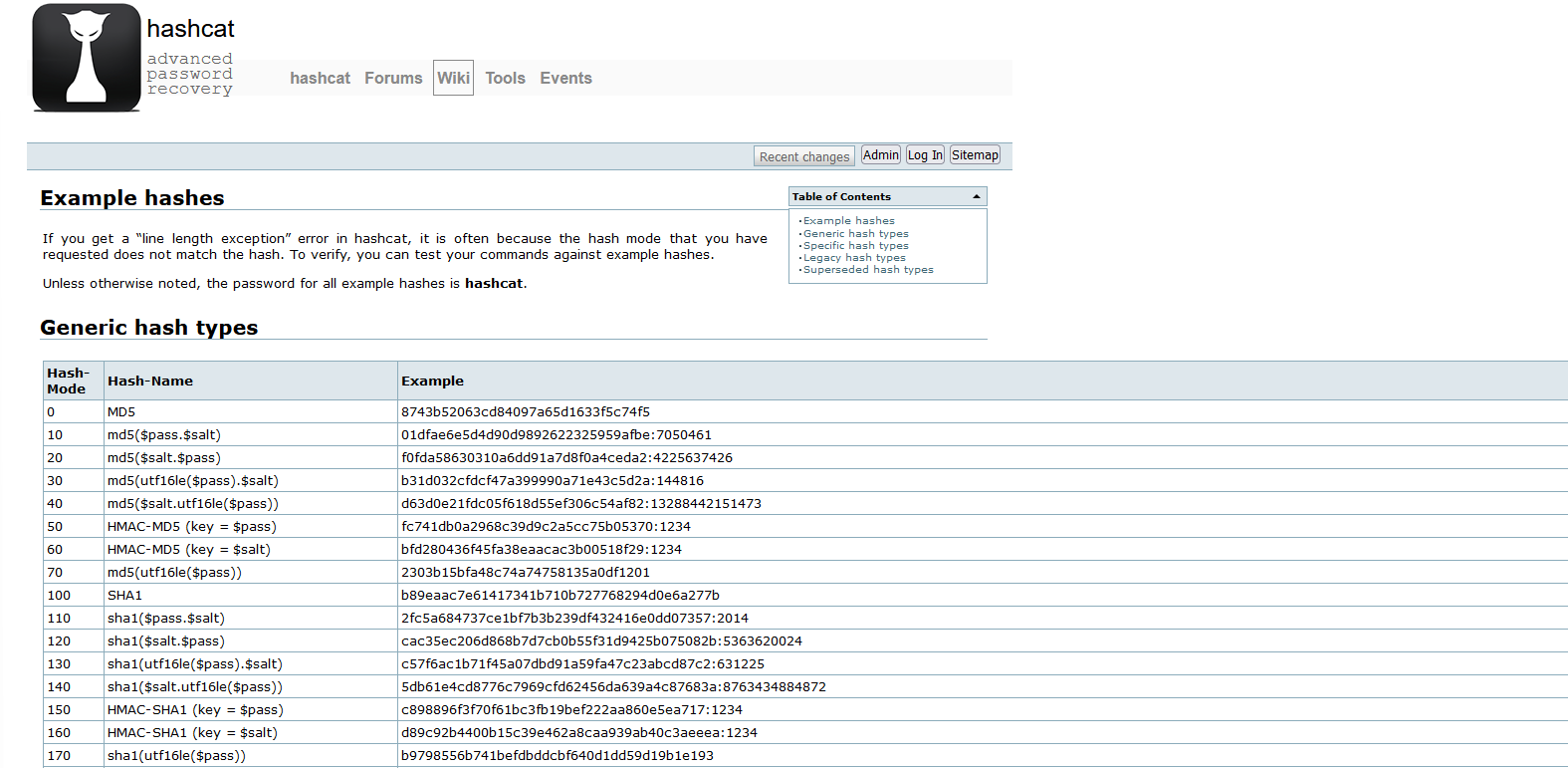
Using the Hashcat example list:

https://hashcat.net/wiki/doku.php?id=example_hashes

Graphical user interface, text, application, email

Description automatically generated

Using hash-identifier:

https://github.com/blackploit/hash-identifier

Using cyberchef Analyse hash:

https://gchq.github.io/CyberChef/#recipe=Analyse_hash()

Background pattern

Description automatically generated with low confidence

Using hash-id:

https://github.com/psypanda/hashID

Using HashTag:

https://github.com/SmeegeSec/HashTag

As you can see there are range of tools available to you, and remember if you want to keep the hashes to yourself you can download Cyberchef and run it locally!

A picture containing text, electronics, monitor, indoor Description automatically generated Defense

Razer Privilege Escalation Vulnerability

“And I looked and behold a pale horse: and his name that sat on him was Death, and Hell followed with him.”

Firstly, Kudos to @j0nh4t for finding this!

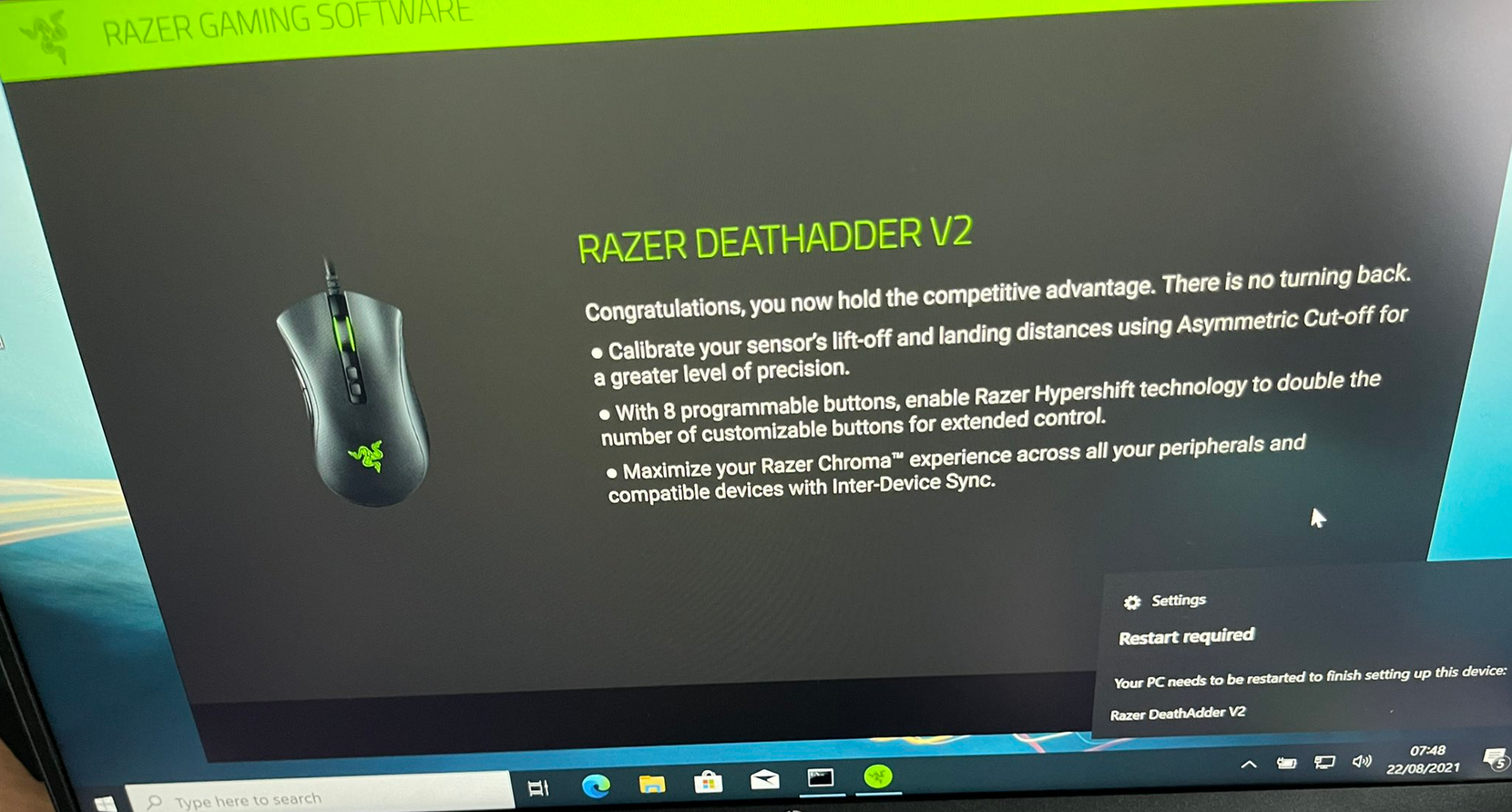
I woke up this morning to see twitter fun with a LPE discovered in the Razer driver installation. Basically, when you plug a Razer mouse into a Windows machine, it will download (via windows update) and execute a process as system which has user interaction. This interface includes an install path selector, with this a right click + SHIFT (LULZ) on whitespace will allow you to launch a command prompt/PowerShell window (as SYSTEM).

A black shoe on a wood surface

Description automatically generated with medium confidence

A picture containing text, electronics, monitor, indoor

Description automatically generated Read more “Razer Privilege Escalation Vulnerability”

Guides

Rapid Active Directory Security Testing of Windows Server 2022…

Introduction

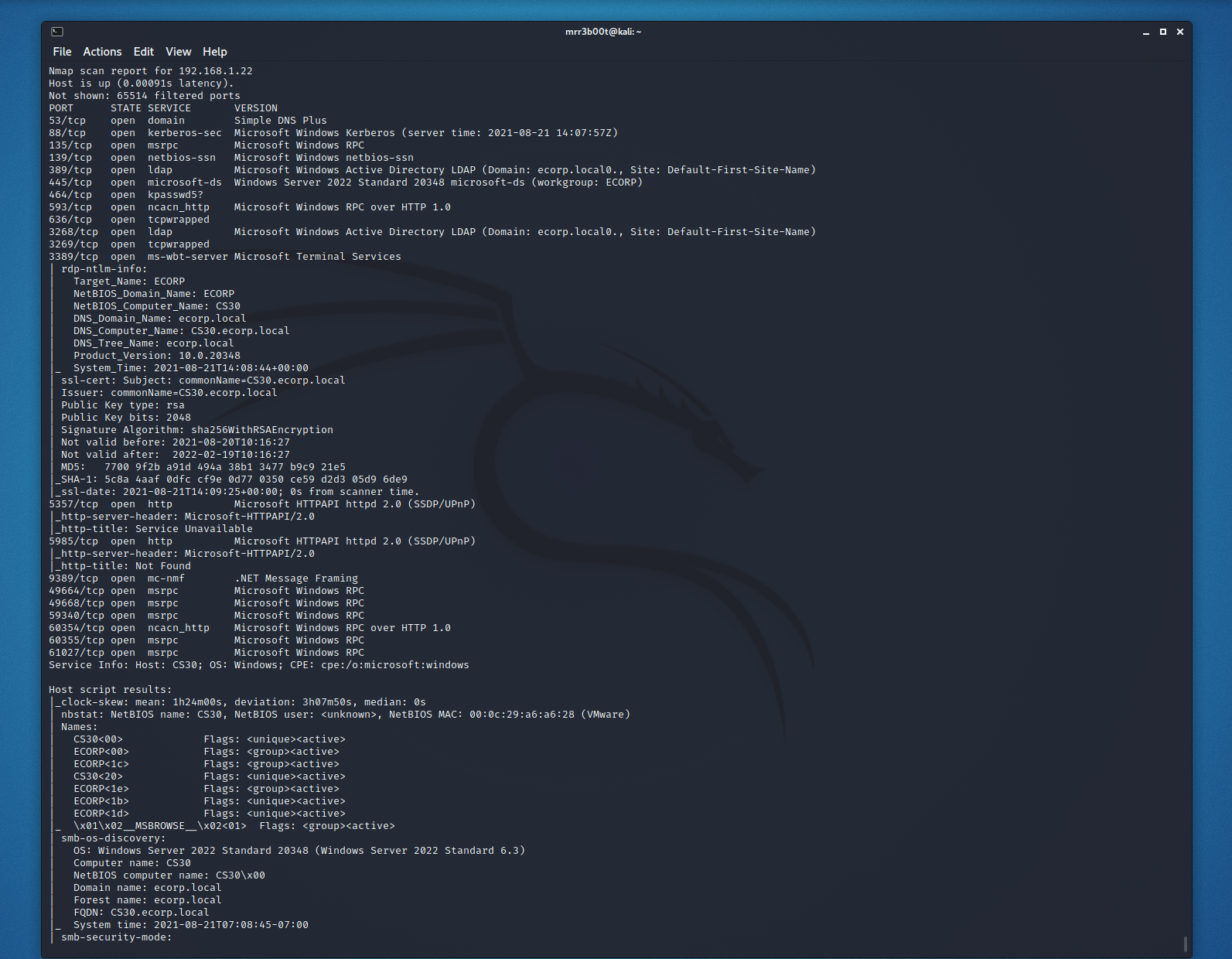
Ever needed to test active directory in a hurry? Well, here’s some common commands to test active directory domain services. In this post today we are going to focus on DNS and username enumeration, there are however a range of weaknesses you want to look for:

  • SMB Null Session/Guest Access
  • LDAP Null Bind
  • Sensitive Information Disclosure
  • Weak Password Policies
  • Unpatched Software Vulnerabilities

Active Recon

Port Scanning and Service Fingerprinting

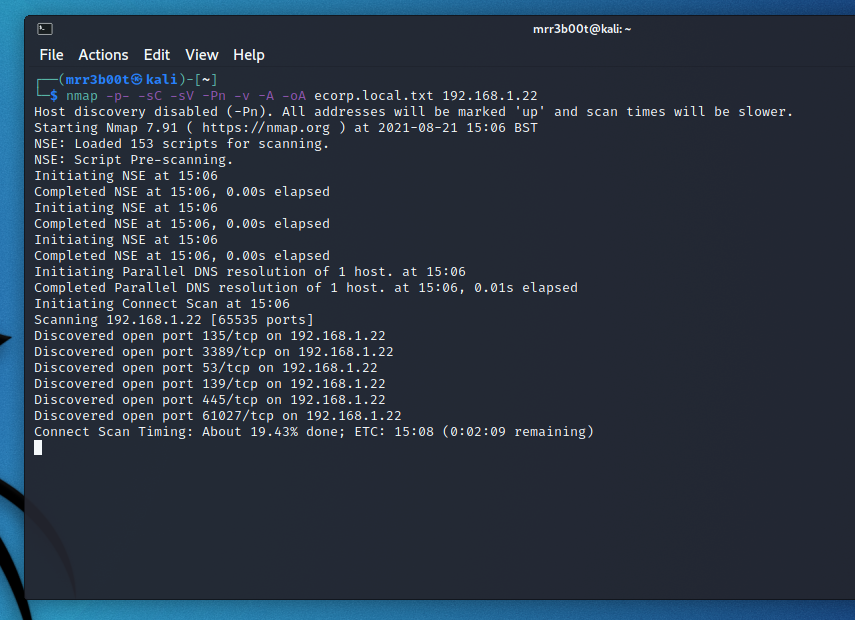
nmap -p- -sC -sV -Pn -v -A -oA ecorp.local.txt 192.168.1.22

Text

Description automatically generated

Text

Description automatically generated

Domain Name and Domain Controller Enumeation

Read more “Rapid Active Directory Security Testing of Windows Server 2022 and Kali Linux”

Guides

Hacking Windows Server 2022

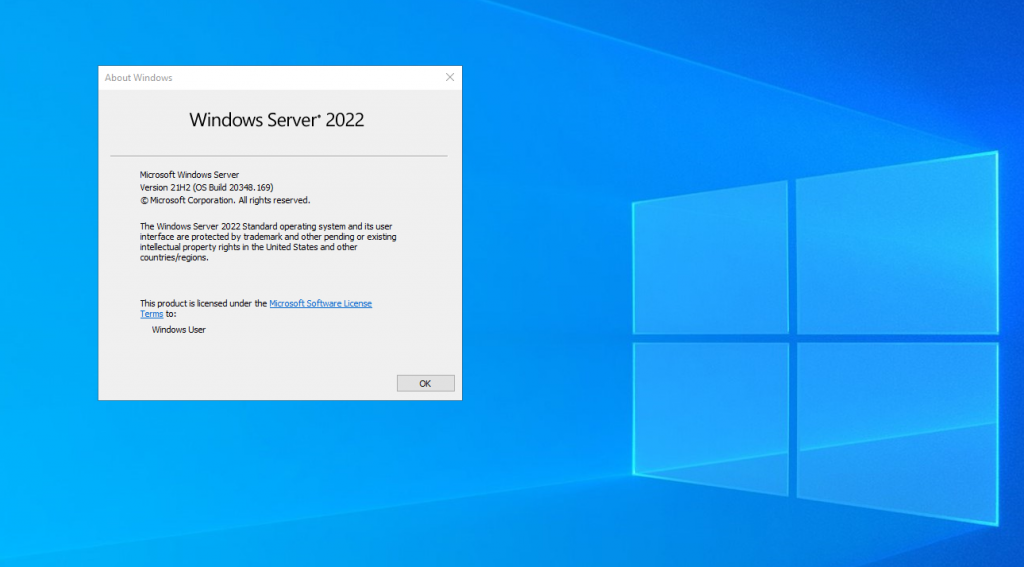
WIndows Server 2022 is RTM! I love new operating systems, but also with the new, what is old? There will be loads of new blogs and articles on new features of Server 2022 however I wanted to see what mischief we can have with it! So I’ve decided to start looking at common vectors and exploits (from the fun to the serious) so that we can see how much of the world has changed (or not!)

So let’s take a look. The first thing I did was to offline replace stickykeys with cmd.exe – yes this method still works. But as lots of people will realise, you neeed physical access to the disk (well you don’t if you have access to someone’s vcenter you don’t!) but also the reg key methods also work! We can still backdoor RDP – here’s a script to disable NLA, Enable RDP, configure the firewall rules and set the registry keys to backdoor the system (clearly for lab use only!)

https://github.com/mr-r3b00t/RDP_Backdoor

Read more “Hacking Windows Server 2022”
Defense

Windows Remote Management 101

Windows Remote Management is easy if you are using a domain joined machine and have a CA. But what if you are off the domain and you want to connect to WINRM that has an HTTPS listener? (by default WINRM uses HTTP on TCP 5985, you can clearly chop out the TLS related configs in the example scripts and they will work for plain old WINRM)

This is useful from a sysadmin and penetration testing/red team perspective. Now obviously you could export the certificates and import them into your store, however that’s more work. So, let’s look at how we ignore revocation, CA name and Computer Name checks.

Text

Description automatically generated with medium confidence

WinRM via HTTPS (self-signed)

Read more “Windows Remote Management 101”

Defense

Penetration Testing

Overview

Penetration testing is the activity of conducting security testing with the aim of identifying and exploiting vulnerabilities to identify strengths and weaknesses. I include strengths because I believe it’s important for security testing to promote both positive and negative findings. I also think that there is a huge mis conception with what penetration is, what it helps with and how to best get value from a penetration test.

My definition isn’t too far from the NCSC one: https://www.ncsc.gov.uk/information/check-penetration-testing

A penetration test is a security assurance activity, but it’s one of many activities that I recommend people conduct. This is however largely only adopted by the few, for many a penetration test is a compliance tick box, either from a regulatory or contractual requirement.

When looking at a system a penetration test is not usually the most efficient starting point, especially if it’s from a black box perspective. Read more “Penetration Testing”