 Threat Intel
A common perimeter firewall in organisations is the CISCO ASA. Back when I started in the industry we used to have CISCO PIX firewalls, the ASA was the next generation of these! Why is this important? Well its important to understand how common threat actors work, you will see from a while ago I wrote a review of the manual 2.0 by Bassterlord (a known cybercriminal), this is to help understand how attackers work, what real world cybercrime looks like so that we can enable people to help defend against these threats.
Another tool in the toolbox is honeypots, recently I’ve been testing out honeypots from Defused! Today they launched a cool new service with is Intel feeds. This means you don’t even have to worry about honeypots, you just get access to data, and in the CTI space, we love data!
The Global Attack Surface
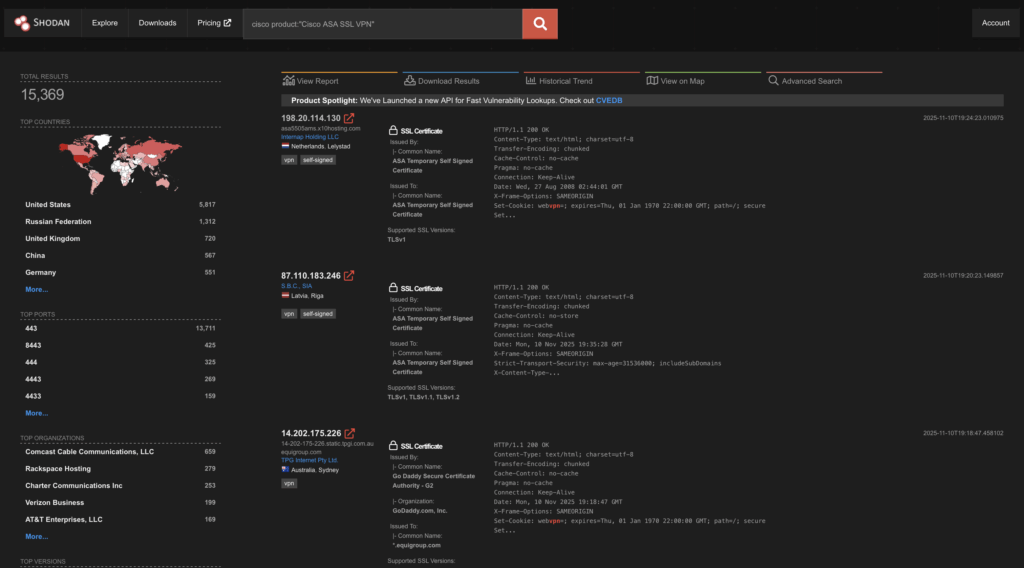
Using Shodan we can see there’s one or two CICSO ASA’s with their SSL VPN interface exposed! So understanding the threat & the asset is key! I have a CISCO ASA in the lab as well! So whilst these aren’t the newest firewall on the block by any stretch, there’s over 15 thousand exposures on Shodan.
Honeypots/Decoys and Intel Feeds
You can see here I’m able to select a number of intel feeds, this gives me access to look at:
- Attack sources (IP)
- Payloads
- Categories
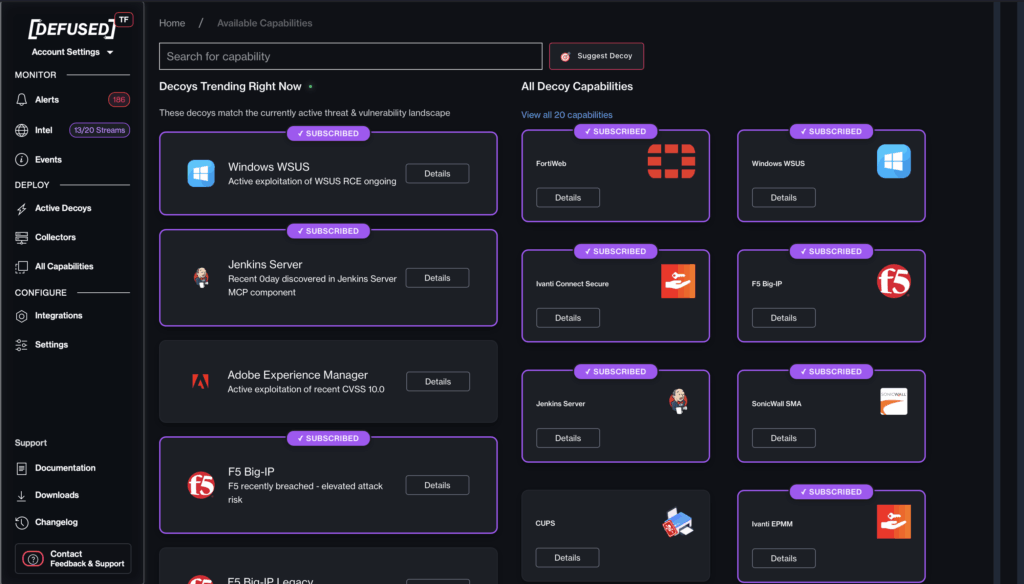
From here we can start to conduct analysis, for the CISCO ASA the most common type of attack I see at work are authentication attacks (brute force/dictionary attacks).
So it’s not a shocker that we can see these here in the intel feeds!
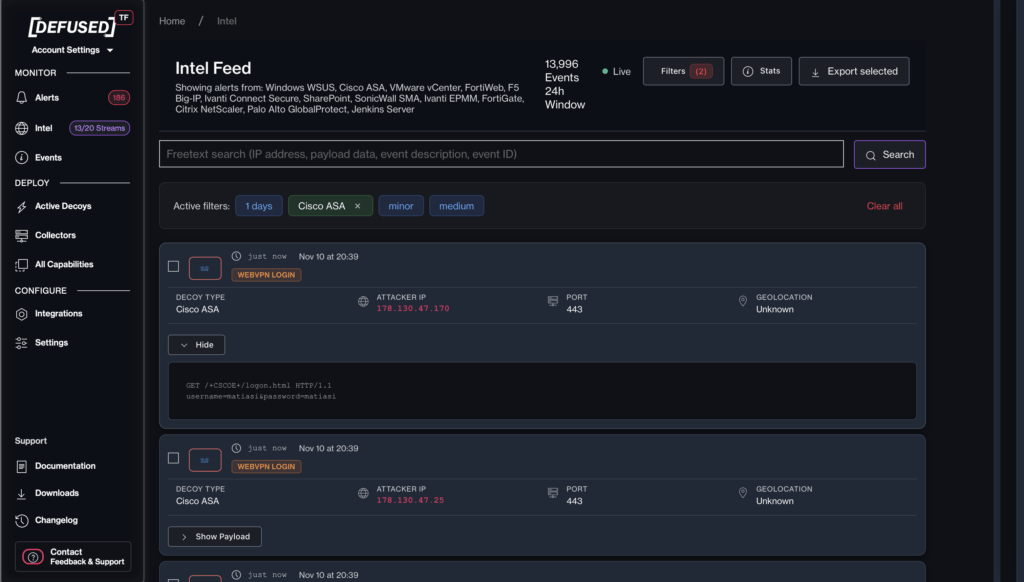
Straight away I’ve got some intel, source IP, Port and GEO (marked as unknown) (don’t worry I’ll add an enrichment to this so we can understand this shortly)
The web UI lets you select events for export events. Now, full disclosure, the platform is constantly evolving, and well I wanted to write a blog so I teamed up with Simo to do something with a raw dataset, (you will see why when you read more, you will likely be able to do this in the near future with the platform directly!)
Mass data enrichment & analysis
So, we took the data, we extracted key elements, source IP, payload, destination IP (these are a secret!) and then I conducted an enrichment using IPINFO and some other tools!
To extract the data I got GROK to create a quick bash script:
#!/bin/bash

# Script to parse cisco_events.json and generate CSV
INPUT_FILE="cisco_events.json"
OUTPUT_FILE="cisco_events.csv"

# Write CSV header
echo "Date,Time,Source IP,Victim IP,username,password" > "$OUTPUT_FILE"

# Parse JSON array and generate rows
jq -r '
def parse_query($s):
    $s | split("&") | map(split("=") | select(length == 2) | {key: .[0], value: .[1]}) | from_entries;

.[]
| .alert_datetime as $dt
| ($dt | split(" ")[0]) as $date
| ($dt | split(" ")[1] | split("+")[0]) as $time
| (.alert_IP | split(":")[0]) as $source_ip
| .victim_IP as $victim_ip
| (.rawdata | split("\r\n")[1] // "") as $params_str
| (parse_query($params_str) | .username // "") as $username
| (parse_query($params_str) | .password // "") as $password
| [ $date, $time, $source_ip, $victim_ip, $username, $password ]
| @csv
' "$INPUT_FILE" >> "$OUTPUT_FILE"

echo "CSV file generated: $OUTPUT_FILE"
Now because it’s Monday and I want to not stay up all night I’m just going to throw this in Excel, I’ll do more enrichment tomorrow.
But let’s see, the TOP 25 passwords:
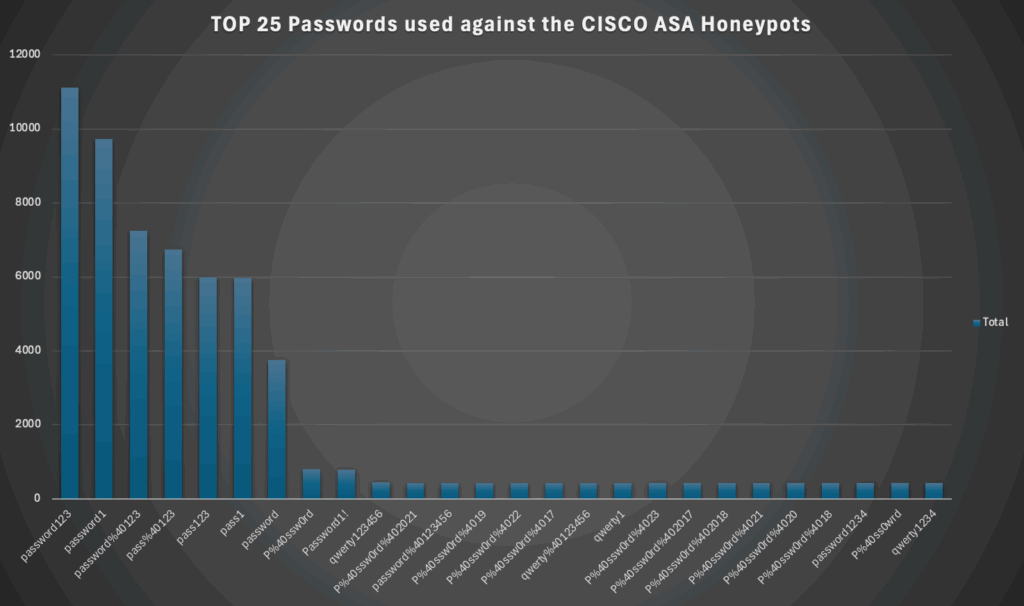
and a list:
password123
password1
password%40123
pass%40123
pass123
pass1
password
P%40ssw0rd
Password1!
qwerty123456
P%40ssw0rd%402021
password%40123456
P%40ssw0rd%4019
P%40ssw0rd%4022
P%40ssw0rd%4017
qwerty%40123456
qwerty1
P%40ssw0rd%4023
P%40ssw0rd%402017
P%40ssw0rd%402018
P%40ssw0rd%4021
P%40ssw0rd%4020
P%40ssw0rd%4018
password1234
P%40ss0wrd
qwerty1234
and now the usernames:
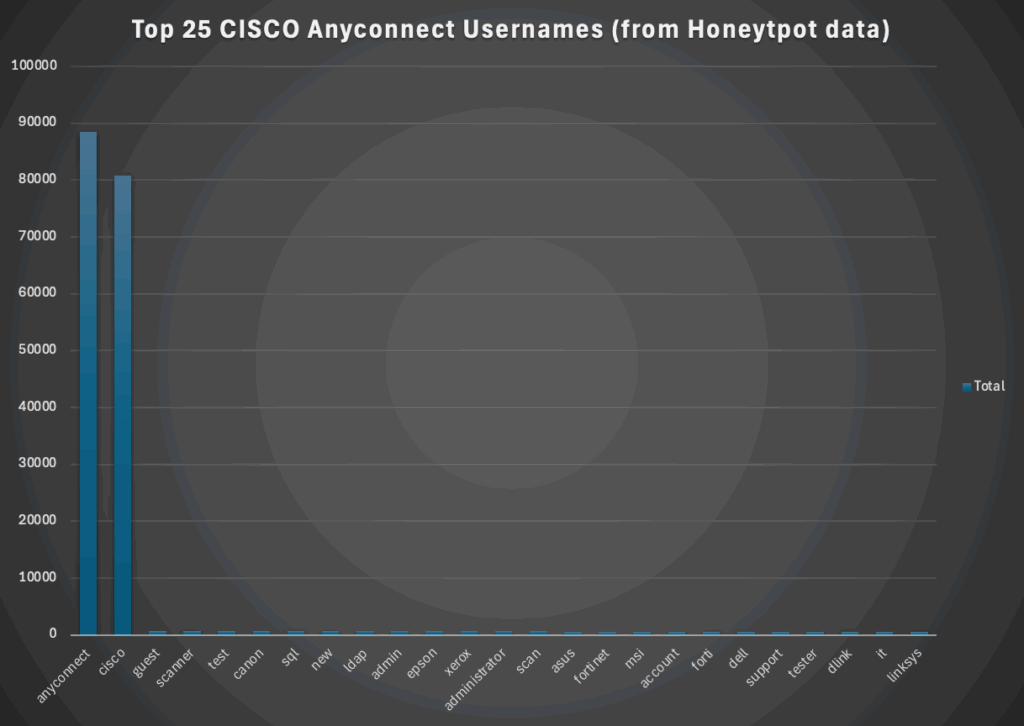
See not all cyber attacks are sophisticated, it doesn’t mean they aren’t impactful! No one cares if your attack was smart of dumb, they only care if the attackers caused impact!
| anyconnect |
| cisco |
| guest |
| scanner |
| test |
| canon |
| sql |
| new |
| ldap |
| admin |
| epson |
| xerox |
| administrator |
| scan |
| asus |
| fortinet |
| msi |
| account |
| forti |
| dell |
| support |
| tester |
| dlink |
| it |
| linksys |
What does this tell defenders?
- If threat actors are throwing these about it’s probably not for no reason (but they aren’t always the smartest bunch!)
- Generic account names are not good from a defensive point of view
- Weak passwords suck
- Only having Defence doesn’t really work! You need to have proactive monitoring, alerting and response!
Summary
So you can see here, we’ve got a massive wealth of data, we have username lists, password lists, source IPs, timestamps, target IPs/Countries etc.
So even if you don’t want to run your own honeypot, you can leverage this data to help you understand the threat, take proactive measures like blocking common threat sources, checking for common generic usernames etc.
To check out defused head over to: https://defusedcyber.com/ and enter the promo code! mrR3b00t rocks (ok I’m joking, I’m just showing something cool you might find useful! there’s not a promo code, I don’t get paid!)